A digital notebook for your daily productivity and workflows
Microsoft OneNote is a free productivity app that works as a digital notebook for all kinds of note-taking. It gives you a flexible canvas where you can bring together ideas, documents, research, and quick notes, then organize them into searchable notebooks.
Top Recommended Alternative
Much like Evernote, Microsoft OneNote can replace physical binders with notebooks, sections, and pages that support different types of content. You can save web snippets, write quick meeting notes, or build detailed study guides from any device. With everything organized within the same workspace, the app can also make it easier to keep track of information as your workload grows.
From messy brain dumps to structure
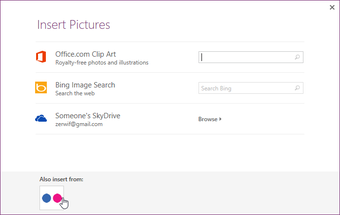
Microsoft OneNote makes digital organization easier by bringing your notes and other information into a single workspace. It organizes your notes into notebooks, sections, and pages, while giving you a flexible canvas where you can place text, images, and file attachments wherever you need them. This works particularly well for larger projects, as you can keep adding information without having to rethink the way your notes are organized.
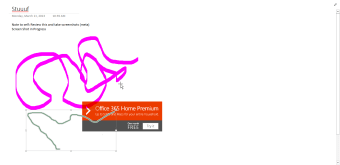
The app also supports different ways of capturing and working with information. Its digital ink tools are useful for handwritten notes, sketches, and annotations, while transcription on supported Microsoft 365 versions turns recordings into text with timestamps for later reference. A free Microsoft account includes 5 GB of cloud storage for syncing notes and files. Cloud sharing then lets multiple people work on the same documents simultaneously.
Beyond standard note-taking, the Sticky Notes feature gives you a quick way to capture information and recall it when you return to the original web source. Educators can also use dedicated spaces for lesson plans and shared content libraries for students. However, the app can feel somewhat bloated, and large notebooks or file attachments can take longer to sync, particularly when working across devices.
Feature-rich note-taking hub
Overall, Microsoft OneNote is a capable free option for managing large amounts of information, particularly if your notes cover different formats and projects. It can be especially useful in educational and collaborative work settings. The interface may take some time to get used to, but its wide range of organization and note-taking tools gives you plenty of room to build a workspace that fits your needs.